TIPS
Tips for Posting Art Online
This resource aims to help artists understand the risks and potential unwanted outcomes of posting artwork that contains sensitive content, and which might be easily misunderstood as it is shared in online environments. For artworks that run afoul of content moderation guidelines—or, which are not in violation of such guidelines but which may likely be interpreted as such—this resource offers practical strategies for protecting artist accounts, helping to ensure that artworks to reach their desired audiences, and educates on the broader mechanisms behind content moderation. This information is sourced from published community guidelines and resources from popular social media platforms, as well as from artists’ direct experiences with social media censorship.
Understanding Content Moderation
Content moderation is a necessary part of online environments–designed to make spaces safe, enjoyable, useful, and comply with the law–but sometimes it can have unintentional or even negative outcomes.
Often, guidelines seeking to limit commercial pornography, human trafficking, graphic violence, and discriminatory or harassing expression might also (intentionally or not) implicate artworks that include nudity (suggested or blatant, erotic or quotidian), references to violence or weapons, erotic themes, LGBTQIA-related content, social commentary, or political symbolism. Before posting, it will benefit you to familiarize yourself with content moderation guidelines on the platform/s you use, and how they are enforced. For example: in most cases, the first tier of moderation will come from algorithmic review, supported by artificial intelligence; subsequent reviews (say, after an appeal has been made) have a higher likelihood of being reviewed by a human.
Because the content shared online is so plentiful; and because those users accessing it are so diverse, it is common for platforms to enforce policies in a way that allows only the most anodyne and broadly acceptable kinds of content to benefit from platform features that amplify and share content.
Complicating this are perennial legislative proposals that aim to place legal responsibility upon platforms when illegal content (ie: human trafficking or child sex abuse material) circulates unchecked. In response to such legislative pressures, it is typically easier and less expensive for platforms to prohibit anything which might possibly be interpreted as violating the law—even if it impacts platform users doing completely legal things.
This effect of appeasing the lowest common denominator can cause platforms to place heavy restrictions on what people can share. Similarly, such factors, and even content moderation policies, can lead artists to censor themselves in order to participate in online platforms.
STRATEGIES FOR POSTING
PIXELATION, CENSOR BARS, BLURS
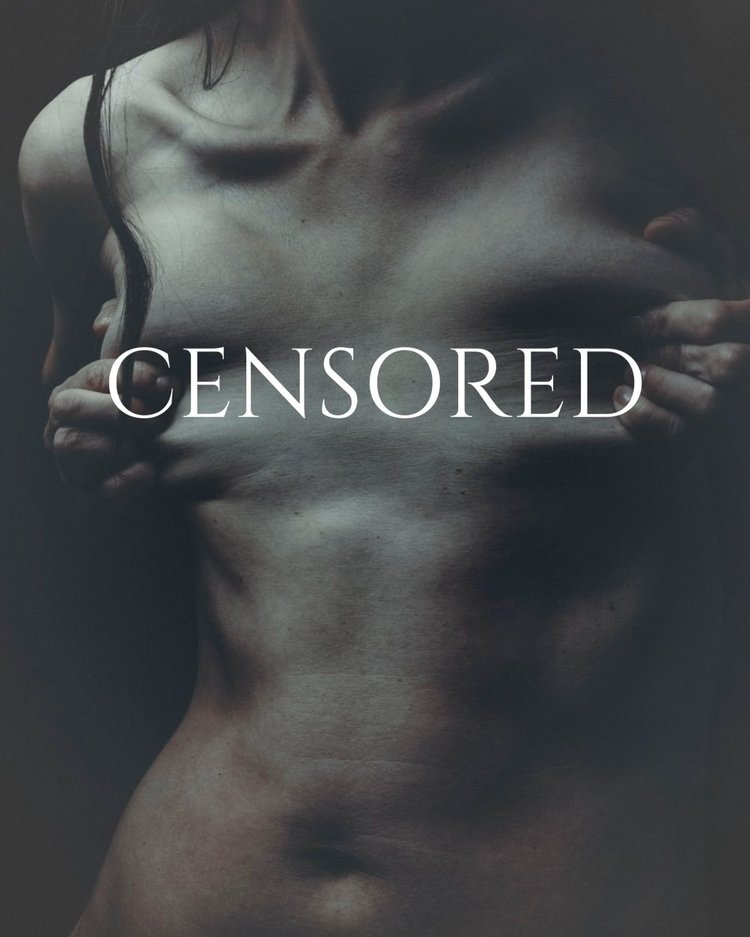
Perhaps one of the most commonly used and familiar tools for artists is image manipulation: strategically placed censor bars, selective cropping, pixellation, and blurring—even in works like non-photo-realistic drawings, paintings, and sculpture. This allows viewers to glean the essence of the image while appeasing content moderation guidelines- though even the most obvious and even satirical manipulations can still trip up the algorithms. There are ways in which it can be done to downplay the intervention, though of course it can’t be too subtle, or else the algorithm might pick it up as an “uncensored” content violation.
Picking up on these trends that are meant to erase and downplay contested content, In 2022 Don’t Delete Art issued its own GIPHY sticker as part of our advocacy campaign we called the DAY OF ACTION—we invited artists to not-so-subtly make visible the self- censorship they felt forced to participate in, by adding our logo sticker over any sensitive content. The original stickers are still searchable within Giphy, —you can see our available stickers in Giphy if you search @dontdeleteart in Instagram's stickers.
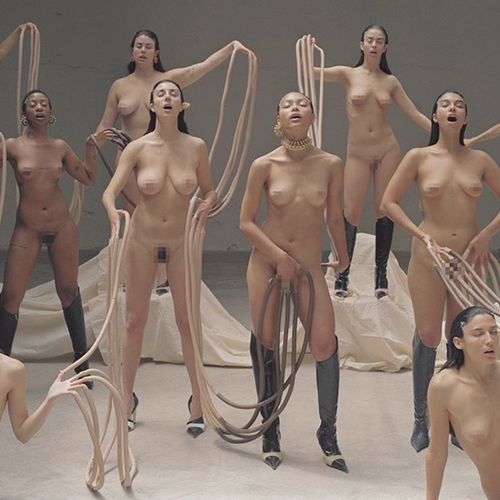
© Carlota Guerrero
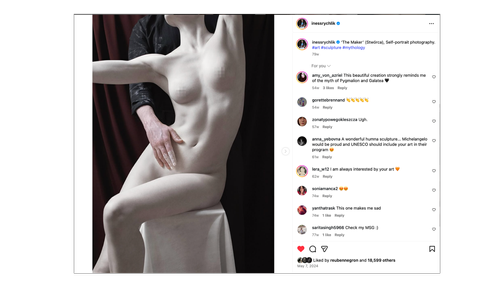
Iness Rychlik
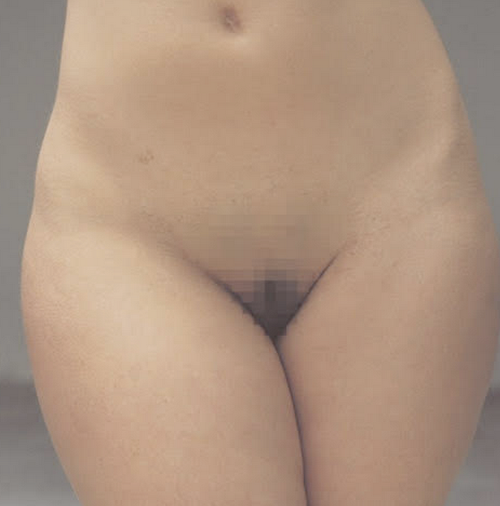
© Carlota Guerrero
Justyna Neryng

jvoto
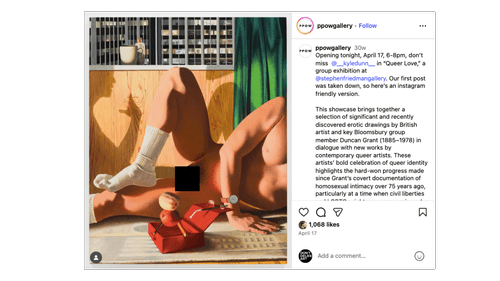
post from PPOW gallery
CROPPING
Share only portions, zoomed in, etc – link elsewhere for full artwork image. Using the grid: Posting cropped portions of an image one at a time to create a much larger and uncensored work

Liza Shkirando
CLEVER CAROUSEL USAGE
Some artists use text to cover parts of their images, calling attention to their self-censorship as an act of defiance. Others have played with how they post, such as hiding artwork behind a carousel of innocuous images
CONTEXTUALIZE
Signal that it’s art… with caption text, frames, showing walls/installation views, pencils, brushes, etc. (This may be helpful for appeals processes later on)
Why and How to Contextualize Non-Photographic Art:It is important to contextualize your art, especially if it follows Community Guidelines, but may be mistaken for violating them. For example, this would apply to photo-realistic drawings or paintings, or photographic nudity that is used in the context of protest (as photo-realistic art and photographic nudity in the context of protest are acceptable according to Meta’s Community Guidelines). Effectively contextualizing your work will help an algorithm or human to view your work as complying with Community Guidelines, therefore minimizing the likelihood of your content being unjustly censored. Add clues that allude to the work’s medium or purpose – making clear the work is a painting of a nude and not a photograph, or that it is a political protest, etc. For instance, there could be a pencil or paintbrush laying on top of the work. Meta allows nudity in painting, sculpture, and drawing, but does not allow nude imagery featuring real adults as in photography, even if it is artistic. Consider the context of the other works you are posting on your account and make sure it reflects the nature of your artistic practice: For example, if you post more images of paintings, then it is more likely that your work will be considered to be a painting. In the case of protest art, if you post material relating to the subject of protest, it is more likely that an image containing nudes as a form of protest would be interpreted correctly. Add captions and descriptions of the work posted. It is most important for Facebook or Instagram to see any type of caption that refers to the artwork’s medium, especially if the work is non-photographic, yet photorealistic. If your art is used in the context of political or social protest, be sure to explicitly demonstrate this context through accompanying text and captions.
Ways to contextualize your posts:
-Use neutral terms like “art” and “painting” rather than phrases that allude to nudity or sexually explicit content.
-Adding text: Posting things like “THIS IS ART DO NOT DELETE”
-Discussing the context of the image, such as it being an exhibition or a published artists book
-Tagging specific accounts and including hashtags that help contextualize your group
-Strategic collaboration and tagging people

ADEY

ADEY
ALGOSPEAK
Platforms analyzes both the image and the text of a post to determine whether it follows the guidelines. As such, users have approached the text accompanying their artwork in different ways to either evade censorship or contextualize the artwork. AlgoSpeak, or ‘algorithmic speak’ are words used to circumvent algorithms used to monitor, block, delete, or suppress certain words that can be deemed inappropriate, taboo, sensitive, or vulgar, across many different digital systems. To circumvent this, creators can use coded language and expressions, euphemisms, and linguistic concealment to discuss the topics that platform algorithms are scared of. This is a practice across languages, and often combined with other mitigating techniques. It isn’t only limited to the text of the post, but also used in the post itself.

EBB & FLOW POSTING
Much of what we learn at DDA is through trial and error experiments from creative and calculating member-artists of DDA’s team. Our colleague Spencer Tunick, whose practice often involves photographing nude subjects in outdoor spaces, was regularly facing content violations–even when censoring his work. After some experiments, however, he found that interspersing his artwork with other anodyne images–of family life, food, pets, would facilitate his being able to–occasionally–post some works uncensored. We’ve seen this work very effectively when he waited until all restrictions had been lifted from his account, and then posted one of his works, which then garnered a large number of new followers. Note, this was likely feasible because his nude subjects are small in the frame.
ARCHIVING/REMOVING WORK
A strategy we hear from many DDA community members as a response to violation loops, risks to their account status, and visibility issues is removing artwork – either by actually deleting it or archiving it. We have some conflicting anecdotes from artists that came up in our survey responses, but the practice of archiving images is at least being experimented with. Some artists feel that archiving (removing the images from view) clears up their visibility issues, with the benefit of not losing content and the possibility of returning it to your wall if you want to. At least one survey respondent, though, reported that they received a violation for an artwork that was archived. As we don’t have this censorship report to reference yet, we can’t be sure what happened, but this goes to show the confusion and anxiety many are dealing with. Another more extreme action some have taken is to purge their accounts of any artwork that could result in visibility issues. This has happened in response to over-exposure to violations or even account removal.
PLATFORM-SPECIFIC TIPS & INFO
-
Community Standards outline what is and is not allowed on the platform. (find them here)
Recommendation Guidelines explain what may result in reduced distribution (downranking), limited visibility, or account restrictions—even if the content does not violate Community Standards. (find them here)
Policy on Adult Nudity and Sexuality(Insert direct policy link here)
Recent Policy Updates:
Lens-based depictions of real adult nudity are prohibited.
Paintings, drawings, or sculptures that focus on genitalia, buttocks, or female-presenting nipples (even if digitally obscured) are limited to users 18+ and require a label, unless presented in a medical or health context.
Lens-based digital imagery focusing on genitals, buttocks, or female-presenting breasts is restricted to users 18+.
Appeals:If your content is removed, restricted, or downranked, you may appeal.
—
Best Practices and What To Do If You Think Something Is Up:
-Check Your Account Health: monitor your account status and violations within your account settings. This is where you will see and appeal Recommendation Guidelines violations. Learn how here. (If you face repeated issues of your art being flagged for Recommendation Guidelines violations, let us know!)
-When directing people to your account, instruct them to search for your full account name. Many downranked accounts appear not to show up until the full name is typed into Search functions in IG.
-Exercise caution when sending images of nude artwork—even if it’s censored—via direct message in IG/FB Messenger.
-You can contact Instagram Support for help by clicking: Profile > Menu > Settings > Help > Report a Problem.
-
Description teTikTok states that it “respects local norms,” meaning enforcement of guidelines—particularly around Sensitive and Mature Themes—may vary by region.
TikTok allows certain artistic content under categories such as:
Shocking and Graphic Content (may include depictions of blood)
Body Exposure and Sexualized Behavior (non-explicit adult sexualized behavior or certain types of body exposure)
If Your Content Violates Guidelines, You May Receive:
A removal notice explaining the violation
A banner notification if your account is banned
A notice in TikTok Analytics if your post is ineligible for the For You Feed (FYF) or otherwise restricted
How to Check if Content Is Restricted:
Go to your profile
Tap the three lines (☰) in the top right
Select Creator Tools > Analytics
Review indicators for content restrictions or reduced visibility
Appeals:If your content is removed, restricted, or downranked, you may appeal.
-
X uses a combination of AI moderation and user reporting to flag sensitive content.
Artists should carefully review platform policies and configure their Media Settings appropriately.
Media Settings System:
Users can indicate whether their account regularly posts content containing:Nudity
Violence
Other sensitive material
Properly labeling your account and posts can help reduce unexpected moderation actions.
-
Bluesky permits nudity and allows users to control what types of content they see.
By default, some content categories (such as Adult Content and Graphic Media) are hidden or shown with a warning.
Sensitive Content Categories
Adult Content (explicit sexual images)
Sexually Suggestive (does not include nudity)
Graphic Media (explicit or potentially disturbing content)
Non-sexual Nudity (e.g., artistic nudes)
For each category, users can choose:
Show
Warn
Hide
How to Adjust Moderation Settings:
Tap the Home icon
Open the menu (top left)
Select Settings > Moderation > Moderation Tools
Posting Considerations:
You can control who may reply to your post.
You may apply Labels (including Content Warnings).
Using a Label removes the need to censor your work.
In some cases, Labels may increase engagement (curiosity effect), though algorithmic impact is unclear.
Self-labeling content (e.g., as Non-sexual Nudity) may still trigger review.
If Bluesky Applies a Label Automatically:Bluesky may apply a more restrictive label than intended (e.g., marking Non-sexual Nudity as Adult Content).
-
Professional Community Policies:https://www.linkedin.com/legal/professional-community-policies
These policies apply to all members.
Depending on the severity of a violation, LinkedIn may:
Reduce content visibility
Add a warning label
Remove the content
Restrict the account (for repeated or serious violations)
In most cases, LinkedIn will notify members if content violates policy and explain the action taken.
Nudity Policy:Nudity and sexual activity are generally prohibited. This includes:
Exposed genitalia
Female breasts
Buttocks
Limited exceptions may apply if nudity is directly relevant to a professional discussion and is not explicit or gratuitous.
Watch our talk for more in-depth discussion of tips, tricks, and advice
KNOW YOUR OPTIONS (AND RISKS)
Read terms of service, know what kinds of work will likely face issues
Connect with artist-support groups like Don’t Delete Art
Appeal with confidence.
Document any actions taken against your work or your account. Take screenshots.
Backup your posts when you can, download them, save them (link to meta’s downloading options)
Create a backup account and encourage followers to follow you there as well